Choosing a card reader for small business can simplify payments and improve the customer experience. However, every business has different sales channels, budgets, and transaction needs.
Therefore, you should compare payment processing fees, hardware costs, connectivity, security tools, and software integration before buying. This guide explains the main options and helps you choose with confidence.
Why a Card Reader for Small Business Matters
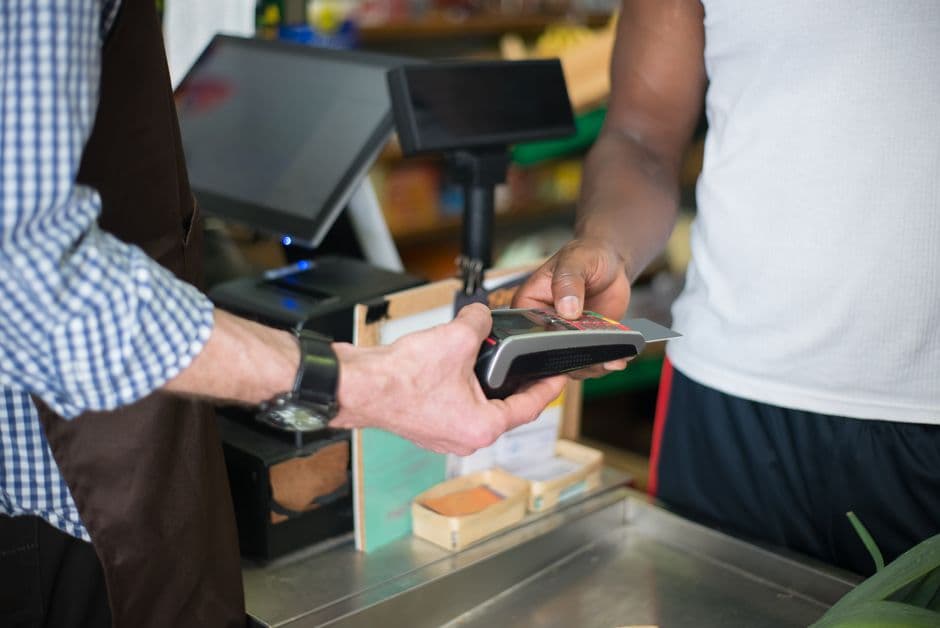
Customers expect convenient payment options at stores, markets, offices, and service locations. A reliable card reader for small business lets you accept credit cards, debit cards, and contactless payments without requiring a traditional checkout terminal.
Moreover, card payments can help you serve customers who do not carry cash. Mobile readers also support pop-up shops, delivery services, contractors, and businesses that operate from multiple locations.
However, convenience alone should not determine your purchase. The right device should match your average transaction volume, sales environment, internet access, and preferred business software.
Compare Card Reader for Small Business Costs
Payment costs usually include hardware, transaction processing, monthly software subscriptions, and possible account fees. Therefore, review the complete pricing model instead of focusing only on the advertised device price.
Many providers charge a percentage of each transaction plus a fixed amount. Others offer custom pricing for businesses with higher sales volume. Ask whether the provider charges for refunds, chargebacks, instant payouts, or international cards.
Additionally, check for long-term contracts and cancellation fees. A low-cost card reader for small business may become expensive if it includes required subscriptions or costly accessories. You can learn more here about planning a payment setup before making a commitment.
UpCardsCredit card comparatorPick 2 cards and see, line by line, what changes between them.Use it →Choose the Right Card Reader Features
A basic reader may accept chip cards and contactless wallets. Meanwhile, advanced models can include a keypad, built-in screen, receipt printing, barcode scanning, or inventory features.
For mobile sellers, battery life and portability matter most. A compact reader should fit easily in a pocket or checkout bag. Furthermore, Bluetooth connectivity can reduce clutter when you pair the reader with a phone or tablet.
For a permanent counter, a larger terminal may provide a faster customer experience. Consider whether you need tipping, split payments, digital receipts, recurring billing, gift cards, or employee permissions.
Match Features to Your Sales Environment
First, identify where customers pay you most often. A salon may need appointment software and tipping, while a food truck may prioritize speed and wireless connectivity.
Likewise, a contractor may need invoices and remote payment links. A small retailer may need inventory tracking and barcode support. Consequently, choose a card reader for small business that supports your daily workflow rather than adding unnecessary complexity.
Before ordering, list your three most important payment tasks. Then, confirm that the reader and its software handle those tasks without extra workarounds.
Prioritize Security and Reliability
Payment security protects your business and your customers. Look for providers that use industry-standard encryption and tokenization. You can review general payment security information from the Payment Card Industry Security Standards Council.
Furthermore, select a provider that supports chip cards and contactless payments. These methods can reduce risks compared with manually entering card details. Never store sensitive card information in personal notes, spreadsheets, or unsecured devices.
Reliability also matters during busy periods. Check the reader’s connection requirements and offline payment rules. If your business operates in areas with weak service, ask how the system handles interruptions and when funds become available.
Review Software and Business Integrations
The best card reader for small business often connects directly with the tools you already use. These tools may include accounting software, appointment platforms, inventory systems, online stores, and customer relationship systems.
Integration can reduce manual data entry and help keep sales records accurate. Moreover, centralized reporting makes it easier to monitor revenue, refunds, taxes, and payment methods.
However, confirm which integrations come with your plan. Some providers limit features by subscription tier. Ask whether the system exports standard reports and whether you can access your business data if you later change providers.
Plan the Setup and Customer Experience
Setup should remain simple for you and your staff. Most modern readers require an account, a mobile app or terminal connection, and a short configuration process. Nevertheless, test the system before accepting live payments.
Train employees to select the correct transaction type, confirm the payment amount, and provide a receipt. Also, establish a process for refunds, duplicate charges, declined cards, and disputed transactions.
A smooth checkout experience builds trust. Keep the reader clean, position it where customers can see the amount, and allow customers to tap or insert their cards themselves when appropriate.
Consider Accessibility and Support
Customers may have different abilities, preferences, and payment habits. Choose equipment with a readable display, clear prompts, and accessible controls whenever possible.
Support quality also affects your experience. Therefore, check the provider’s support hours, contact methods, setup resources, and replacement policy. Fast assistance can prevent a payment issue from becoming a lost sale.
How to Select a Card Reader for Small Business
Start by estimating your monthly card sales and average transaction value. Next, identify whether you need a mobile reader, countertop terminal, or combination of both.
Then, compare at least three providers using the same criteria. Review processing rates, hardware costs, deposits, payout timing, software features, and contract terms. This approach creates a clearer comparison than choosing the most recognizable brand.
Finally, test the provider’s calculator or request a written estimate. Read the full agreement before accepting it. If your sales grow, revisit your plan and negotiate better terms when appropriate.
- Confirm all transaction and monthly fees.
- Check compatibility with your phone, tablet, and business software.
- Verify security features and payment method support.
- Review payout timing and dispute procedures.
- Ask about customer service and equipment replacement.
Frequently Asked Questions
What is the best card reader for small business owners?
The best option depends on your sales volume, location, software needs, and budget. Compare total costs and essential features before choosing a provider.
Can a small business use a card reader without a traditional register?
Yes. Many mobile readers connect to a smartphone or tablet. They can accept payments through a provider app without requiring a full checkout station.
How much does a card reader for small business cost?
Costs vary by provider and device. Review the hardware price, per-transaction fees, software charges, payout fees, and any contract or cancellation costs.
Are card readers secure for small businesses?
Reputable providers use security controls designed for payment processing. Businesses should still protect account credentials, install updates, and avoid storing sensitive card data.
Can a card reader accept contactless payments?
Many current readers accept contactless cards and digital wallets. Confirm that the specific model supports the payment methods your customers use.
Conclusion
A card reader for small business can make payments faster, more flexible, and easier to manage. However, the right choice depends on your operating model and long-term goals.
Compare complete costs, essential features, security controls, integrations, and support. Moreover, test the customer experience before relying on the device during busy sales periods.
With careful research, you can choose a payment solution that supports daily operations today and scales with your business tomorrow.